
Today’s post is dedicated to the ADA (Americans with Disabilities Act), which celebrates its 36th anniversary on Sunday, July 26.
“Curb-cut effect” has become such a common term, it may be surprising that it first appeared less than ten years ago, in a 2017 article from the Stanford Social Innovation Review. That was 40+ years after literal curb cuts started becoming widespread, and people started realizing that you don’t have to be in a wheelchair to prefer a mini-ramp to a six-inch drop.
The same goes for many other accommodations that were initially considered useful to “just a few.” (A recent article, “Stop Fixing People, Start Fixing Work,” recommends that businesses use “curb-cut” thinking for a proactive approach to workplace design: “If one person trips, others are likely stumbling too.”)
In the modern digital age, metaphorical “curb cuts” are popping up in even more places.
Accessibility Online
More and more websites are being edited to accommodate disabled users’ concerns. And just as with physical-world accommodations, non-disabled visitors appreciate the results.
- Captions are popular with hearing users, especially now that anyone can carry a video library in their pocket. With or without headphones, captions let viewers turn down the volume to avoid disturbing other people—or hurting their own ears.
- High-contrast backgrounds are applauded by anyone who has strained to decipher yellow text on a white screen.
- Minimalist visual backgrounds reduce distraction and improve concentration.
- Dark mode makes it easier to read a smartphone screen in sunlight.
- Alt text, compatible with search engines, simplifies web surfing. (Many people forget site names but remember images.)
- Descriptive titles and headings, along with well-organized menus, make navigation easier for every website visitor.
The Many Faces of “Failure to Communicate”
This is the age not only of websites but of personalized apps, which also have curb-cut effects. For example, while “augmentative and alternative communication” (AAC) technology is designed for users with long-term speech disabilities, it can help with other communication challenges.
- Speech-to-text translators are a boon to anyone who has trouble understanding another person’s accent.
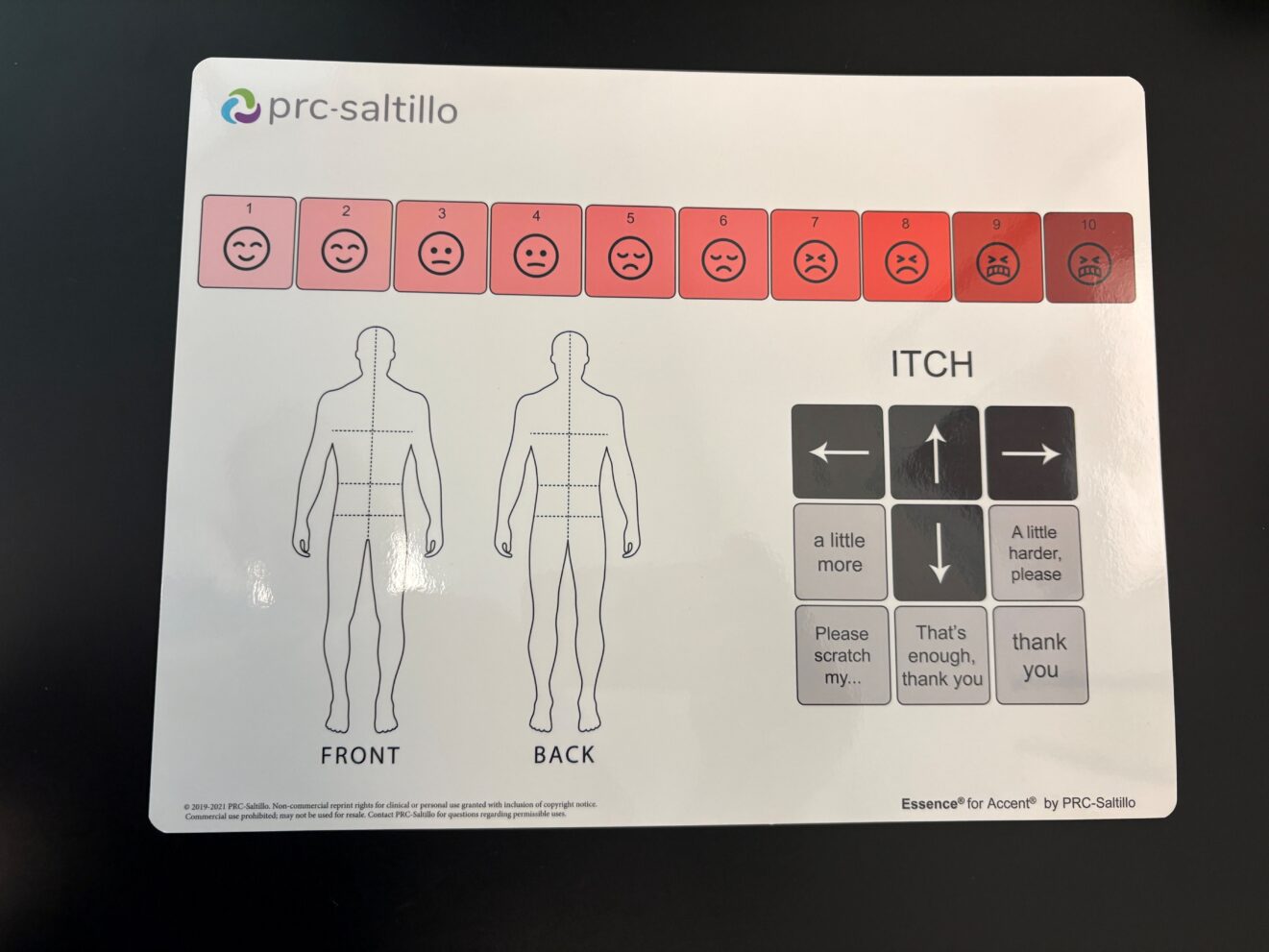
- Visual aids can help a young child—or any traumatized or temporarily impaired person—communicate feelings they have no words for. (These aids aren’t always digital: many doctors use simple laminated cards.)
Peace and Quiet: Sensory Zones Aren’t Just for the Neurodivergent
These days could also be called the “age of neurodivergence awareness,” as more and more accommodations are geared toward non-physical disabilities. But this is also the age of overload and stress—and there’s hardly a person on the typical American street who wouldn’t benefit from frequent breaks.
Enter the “sensory zone” in all its manifestations. Besides set-aside areas at children’s events, and prayer/meditation rooms in hospitals, you can find:
- “Quiet rooms” in office buildings.
- Small pop-up tents, designed to block noise and light, at outdoor public events.
- Parade routes with blocks reserved for “quiet zones.”
- Public parks with “sensory gardens.”
- Theaters, museums, and libraries with sensory-friendly programs and “shush-free” zones.
- Venues that loan “sensory backpacks” to visitors. (These backpacks may contain dark glasses, noise-reduction headphones, and/or other assistive technology.)
Most of these are available to anyone who asks, with or without a diagnosis. Benefits include:
- Relief from background chatter and beeping digital alerts. (Tip: Don’t just silence your device—turn it off completely. You’re unlikely to miss anything vital in 15–30 minutes.)
- Mental margin to practice concentration and deep thinking (guaranteed to improve long-term effectiveness).
- Opportunities to release pent-up energy.
- Reduction of eyestrain, headaches, backaches, nausea, and other “stress pains.”
P.S. If you feel you have no time for a sensory break, that’s a sure sign you need one.
Why Not Make a Few “Curb Cuts” Yourself?
Accessibility planning isn’t just a task for businesses and elected officials. Here are a few “ordinary citizen” ideas to improve quality of life for your social-media visitors, your in-person visitors, and ultimately yourself.
- Check your online postings for descriptive titles, visual readability, and clear alt text. (If alt text is AI-generated, read it yourself to make sure it covers everything visitors will want to know. Especially if the image includes written words.)
- Online or in the physical world, leave visible “white space.” Especially, avoid displaying high-stimulation images in every corner.
- Turn off screens you aren’t using. Even with the sound off, they’re a distraction.
- Clear your floors of clutter (a tripping hazard to disabled and non-disabled people alike).
- Be careful of strong fragrances: many people find them annoying or even suffocating.
- Keep your home well insulated from drafts and outside noises.
Insulation has an additional “curb cut” benefit: lower HVAC bills. Once you start exercising curb-cut thinking, you’ll start seeing additional benefits—and new ideas—everywhere.