
The Texas Computer Education Association (TCEA) held a virtual AI for Educators Conference on June 9–11, 2026. There were over 50 programs and workshops, listed here on the official AI for Educators schedule.
Today, two of our BridgingApps team members—Tara Rocha and Alejandra “Ale” Gonzalez—share about a few of their favorite sessions.
“Abracadabr-AI!: From Tool to Transformation”
Tara: My favorite presentation: it was interactive and had a wizarding theme. Students today are going to use AI in any case, so we have to teach them how to use it while also exercising their own intelligence. I really liked this closing quote: “We will not ban the wand, and we will not let the machine perform the trick. We will build Socratic Sandboxes that force our students to become the wizards.”
“Don’t Believe the Bot: Teaching Students to Think Critically About AI”
Key points:
- AI works by word association and calculated probabilities, not by actual logic and facts.
- Because AI is only predicting likely answers (and usually “believes” any faulty information included in prompts), it can generate “hallucinations,” or false assertions.
- The “3 Golden Rules of AI”: (1) Check every single fact. (2) Never share personal stuff. (3) Use AI for brainstorming ideas, not for writing your final paper.
Tara: “Don’t Believe the Bot” shared ways (based on real classroom examples) to work with students on analyzing, questioning, and improving AI-generated responses. They use a four-step “Bot Check” that transforms AI from an answer machine into a tool for deeper learning.
“AI Literacy & Education: Terminology”
Tara: A very informative session: terminology has often been confusing to me, and I learned a lot here.
“How to Build a Weekly AI Routine for Lesson Prep”
Tara: The presenter walked us through a template that covered:
- Adjusting for different grade levels and subjects
- Best practices for creating effective AI prompts
- How to format lessons with AI
- How to evaluate AI-generated content before sharing it with students
(Session resources/presenter newsletter available on request.)
“Designing AI Use That Strengthens Metacognition”
“Metacognition” means being able to examine, question, and evaluate your own thinking patterns. Here’s how it can work in partnership with AI:
- The goal: Write AI prompts to demand disagreement. Get the tool to focus on finding weaknesses (or it will likely just confirm that you’re right—even when you’re wrong).
- Ask the AI to “mirror back” what you’ve said, and to note where you seemed least sure of yourself.
- Have the AI pinpoint hidden assumptions and argue for the strongest opposing case.
- Then, ask it to quiz you, rank your evidence, and find where your argument is weakest.
Specific wordings that usually get helpful responses include:
- “What would have to be true for my conclusion to be wrong?”
- “Play a skeptical classmate.”
- “Push on my weakest claim until I either defend it with evidence or revise it.”
Ale: This was my favorite session. I really liked how they addressed that AI is a “yes-man,” and explained how to encourage more thoughtful thinking. Their approach to using AI as a “sparring partner,” which helps build stronger arguments and ideas, was very refreshing!
“AI-Powered Inclusion”
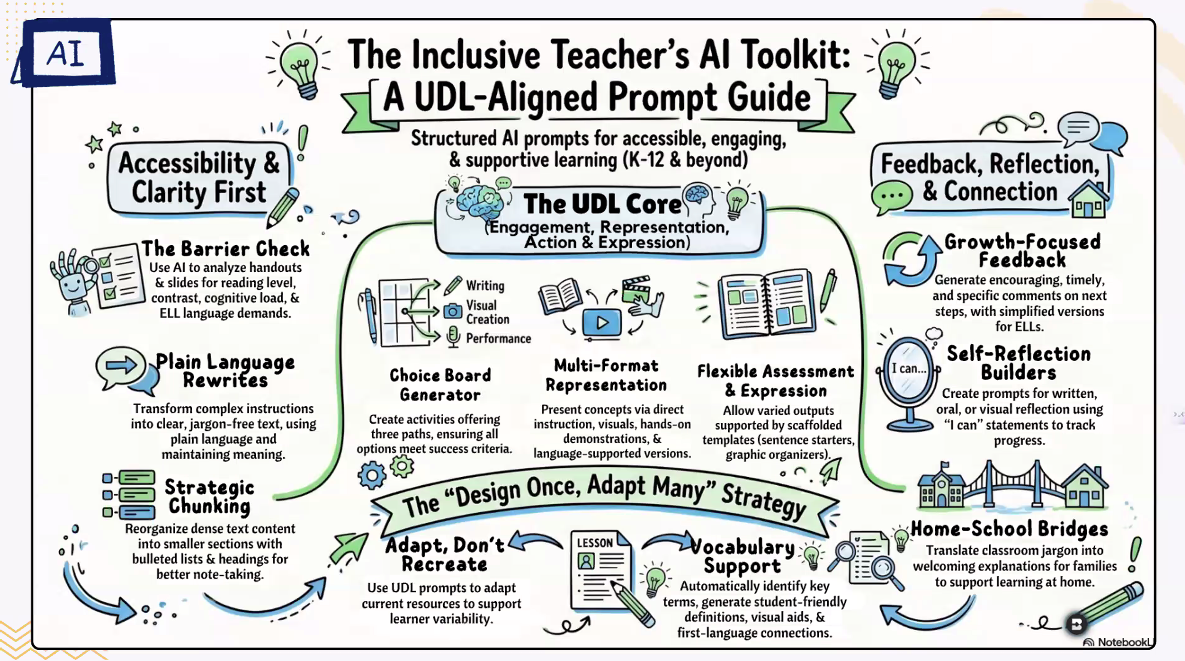
Tara: A good program, even though I saw only the first part (it was pre-recorded and I wanted more time for interacting in live sessions). I’m looking forward to going back and watching the rest. It included plenty of detail on inclusion-oriented prompts and UDL (Universal Design for Learning) principles.
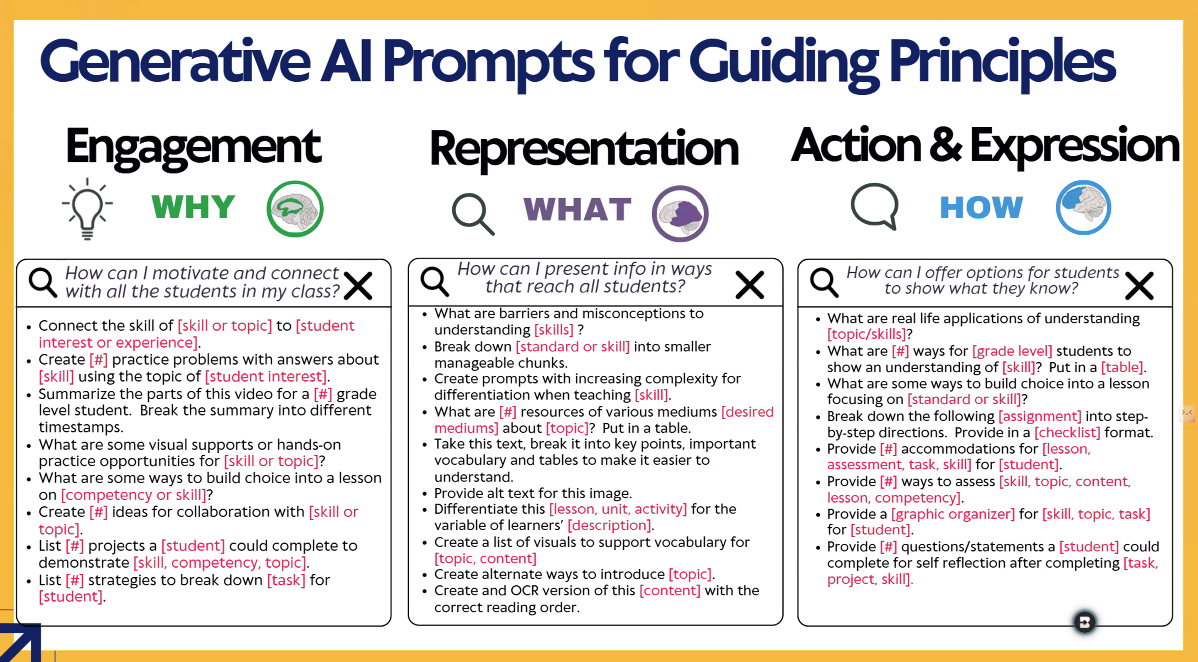
Above and below: Slides from “AI-Powered Inclusion.”
“SafarAI Live! Prompt-tuning in the Wild”
The more information that goes into prompts, the better the results. Creating good prompts also helps users build “gems” (customized AI assistants that can perform complicated routines with minimal prompting—the term comes from Gemini Gems, a Google program). Using illustrative slides and a shared document, the presenters helped participants practice writing their own prompts to create AI-powered classroom tools.
Tara: I loved the prompt-writing exercise where we shared our results in the chat. I also plan to learn more about Gemini Gems: it was the rave of many teachers at the in-person TCEA convention I attended last February.
Additional Resources:
- Adobe Express (Tara: With generative AI, it can now transform the creativity of any lesson. And it also has some of the best guardrails for keeping AI responsible and ethical.)
- The AI Assessment Scale: Reflecting on AI in Assignment Design
- Easy EdTech Podcast
- EduGems
- How to Double Check Responses In Google Gemini
- A Minute With AI
- Socrat Cases
- ThinkerU
And there was one conference session, “Preparing Students for an AI Workforce in CTE [Career and Technical Education] Classrooms,” that deserves a separate post of its own—coming soon. Watch for it!