

In the United States, 87 percent of senior adults prefer “aging in place” to living elsewhere; and thousands of disabled young adults opt for independent living. In either case, families worry about whether their loved ones can manage.
If you’re in that situation, here are two high-tech options that can help.
JoyCalls: Where AI Seems Almost Human
JoyCalls, with its AI chatbot “Joy,” uses a daily-phone-calls system to help people remember essentials (such as medication schedules) and exercise their brains. It requires little more than a phone line to set up, and it provides daily summaries for family members—plus alerts if anything seems “off.”
While JoyCalls is not a replacement for human care, it’s carefully designed to provide a feeling of consistent connection (and, for users’ families, peace of mind). It:
- Works on any phone, no tech setup required.
- Speaks in a “non-automated” voice.
- Allows users to pre-schedule calls and reminders.
- Takes calls as well as making them. Users can check in anytime for advice, entertainment, or virtual chatting.
- Learns as it goes, adapting to user personalities and communication styles.
- Comes in no-charge (Free Forever) and Premium versions.
“JoyCalls provides friendly daily conversation to my aging family member in another state, and gives me a summary of each check-in. I’m impressed by the friendly interactions and the ease of use.” –Cristen Reat, BridgingApps Program Director
“I have been using JoyCalls with two different family members. One lives out of state and struggles with loneliness: with this free service, she gets a call each day as a check-in. I receive a transcript of each conversation, along with a summarized text message. If she doesn’t answer, I receive a notification for that as well. JoyCalls has been great for us.” –Tara Rocha, BridgingApps Digital Learning Specialist
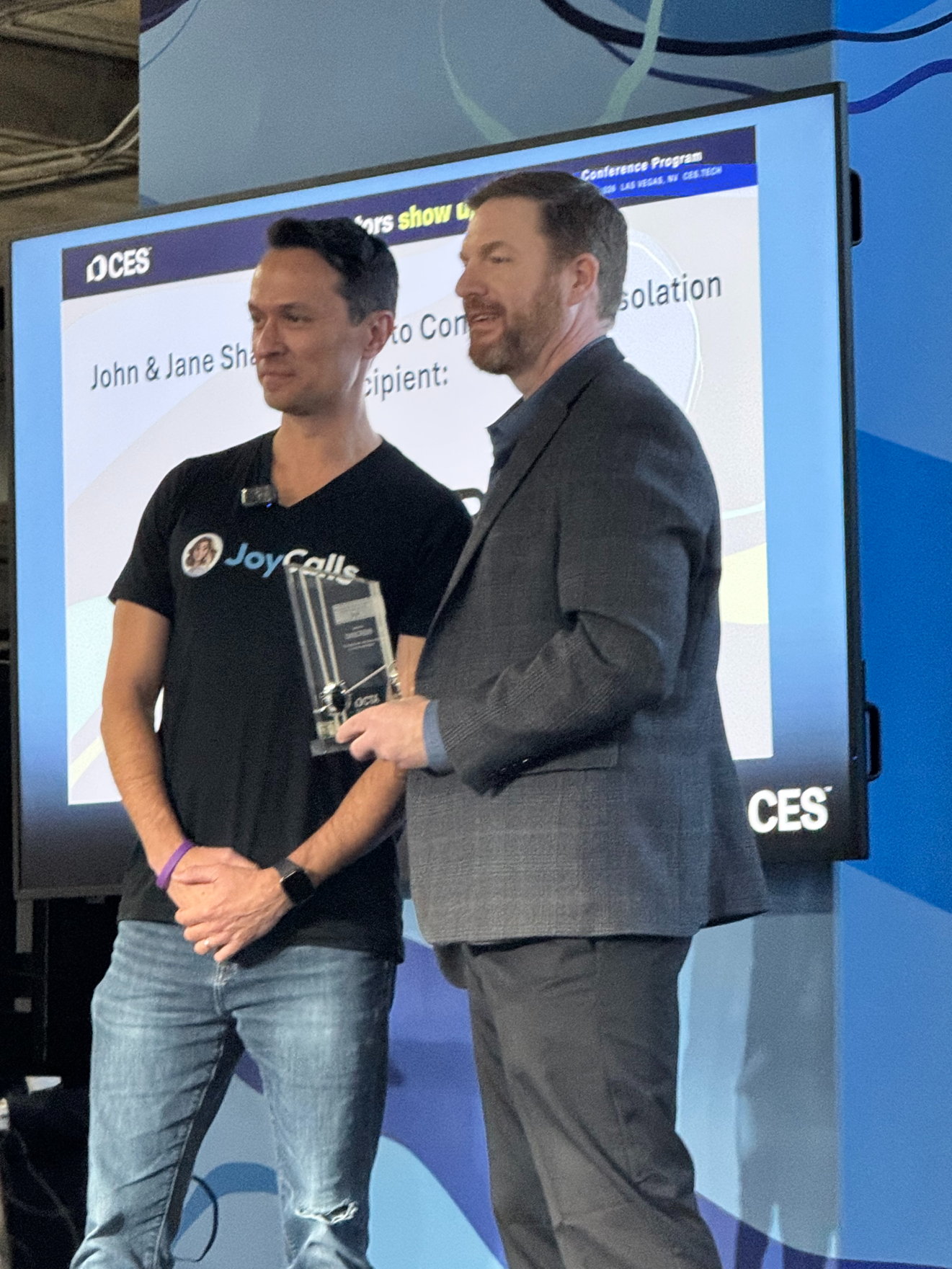
JoyCalls is a product of ONSCREEN Inc., which recently won the CTA Foundation’s John and Jane Shalam Award for combatting social isolation.
“Being recognized by the CTA Foundation is especially meaningful for us because their focus aligns with our mission: using technology to improve quality of life for the people who need it most. There’s a growing recognition that AI companionship needs to meet people where they are, rather than requiring them to adapt to new devices.” –Costin Tuculescu, CEO of ONSCREEN
GrandCare: A Pioneer in Remote Support
GrandCare Systems introduced its first remote support platform in 2005—yes, over 20 years ago. It’s now found in private residences and in all categories of group homes.
Participation requires a GrandCare touchscreen (17.2”) with two-way video connections to family/caregivers. (Some households use multiple touchscreens.) The system can:
- Deliver daily reminders for medication, appointments, and everyday to-do items.
- Help track emotional and physical health.
- Generate health questionnaires and download .pdf reports.
- Take “care notes.”
- Create personalized videos.
- Play games.
- Play music and audiobooks.
- Be customized for individual preferences and needs.
- Alert designated caregivers if it detects potentially dangerous motion.
GrandCare has a “no outsourcing” policy: all professional interactions are handled directly by staff.
“Everyone’s GrandCare can and should be unique. … You can absolutely be in charge … [and] we have many studies on the efficacy of GrandCare … We also have a case study showing a reduction in hospital readmissions.” –GrandCare FAQ page
Closing Tips
“When we first signed an aging parent up for JoyCalls, we quickly learned that he didn’t answer its calls, because all he saw was something coming from a number he didn’t know. Saving the contact [information in Caller ID] is helpful to older adults, especially if they struggle with memory.” –Tara Rocha
The best remote-support system does little good if your family member doesn’t understand it—or if they resent being “monitored.” To help things go smoothly:
- Get your disabled family member participating from the start. Focus on benefits that appeal to them (which may include having you stop calling daily “just to make sure everything’s okay”).
- Let your family member personally review the options and make the final decision.
- Check that they understand all the features and everything they need to do (ask them to walk you through it).
And a couple of final tips:
- Your family member’s Medicare/Medicaid/insurance may help pay for a monitoring system. Check what’s covered before shopping the options.
- And remember: no AI system can fully replace human contact. Call your loved one regularly—not just to “check up” on them, but to chat as one adult with another. It’s healthy for both of you!